
Step-by-Step: How ClawCodex Embeds DeepSeek APIs Into Existing Backends
Embedding DeepSeek into a real backend is less like swapping a battery and more like swapping an engine in a moving vehicle. Here is the production-safe way to do it through ClawCodex — provider config, headless jobs, cache-stable prompts, tool validation, reasoning replay, observability, and governance.
Executive Summary
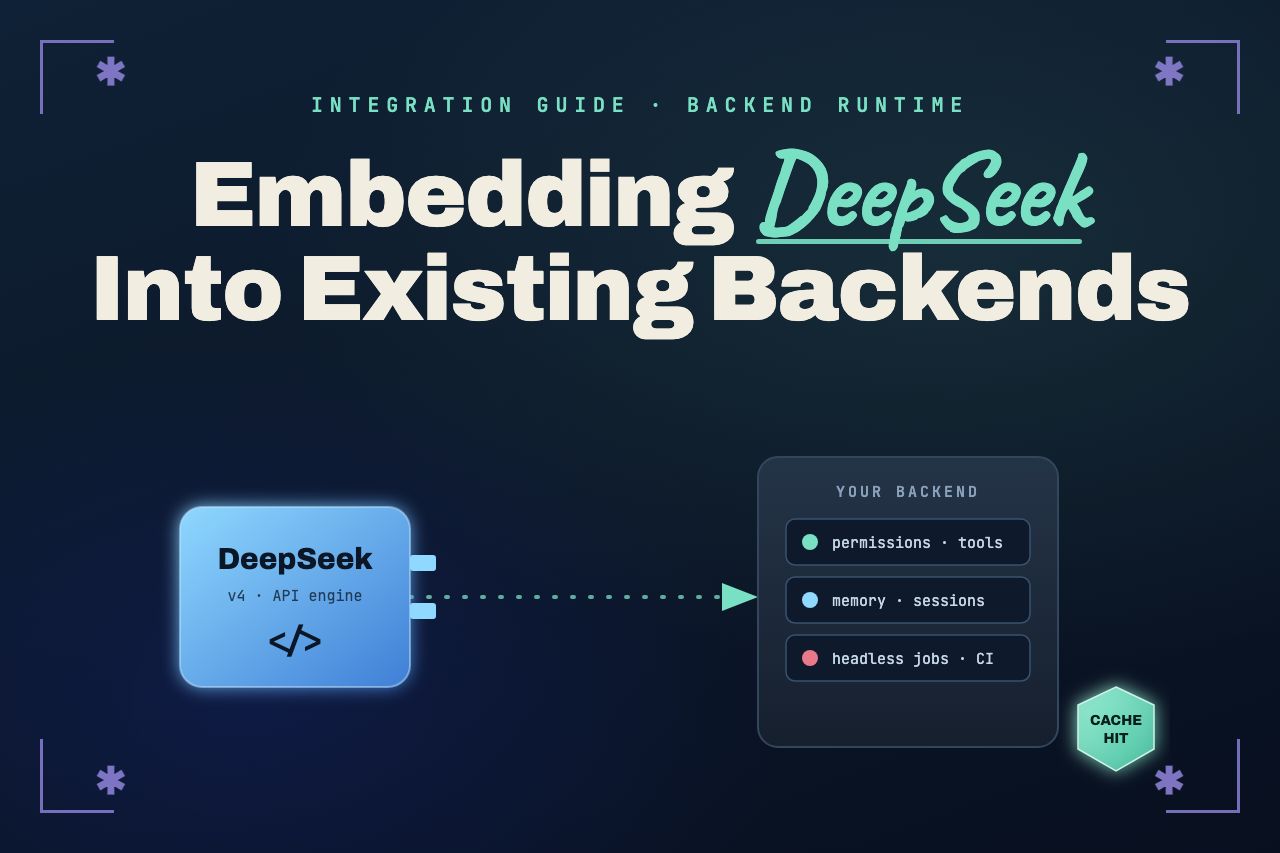
Embedding DeepSeek into an existing backend is not really about the API call. ClawCodex treats DeepSeek as a provider layer inside a broader coding-agent runtime rather than a standalone API you bolt on. The higher-level controls that make an agent safe in production — permissions, tool gates, memory, and session handling — stay in place while the actual model work routes through DeepSeek.
The upside is real: DeepSeek's context caching makes repeated, cache-friendly prompts dramatically cheaper, and its dual OpenAI- and Anthropic-compatible surfaces lower the cost of adoption. The risks are equally real: tool-call reliability, reasoning-state replay across turns, privacy governance, and observability all need attention before you point production traffic at it. This guide walks the ten steps we recommend, in order.
Introduction
Swapping a model provider into a live backend is less like replacing a battery and more like swapping an engine in a moving vehicle. Multi-turn conversations, tool calls, file edits, and cost-sensitive sessions all keep running while you change what powers them, so the compatibility details matter more than the first successful request.
ClawCodex handles DeepSeek as one provider among several — Anthropic, OpenAI, Gemini, and others — rather than a special case. That is the whole point: the agent concepts (sessions, tools, permissions, memory, hooks, headless workflows) do not change when you switch the engine underneath them. Concretely, embedding DeepSeek well comes down to ten steps:
- Choose the matching API surface (OpenAI-compatible or Anthropic-compatible).
- Configure ClawCodex with the DeepSeek provider.
- Route backend jobs in headless mode.
- Keep prompt prefixes byte-stable for caching.
- Select the right model per task.
- Validate tool calls defensively.
- Preserve reasoning metadata across sessions.
- Add observability for cost, cache, errors, and safety.
- Gate file edits, shell execution, and web access.
- Resolve privacy and compliance before production.
Market Insights
Engineering teams increasingly ask AI systems to review pull requests, explain test failures, generate migration plans, modify files, and operate inside CI workflows. That is a very different job from a chatbot integration, and it forces harder questions: are tool calls reliable, is conversation state preserved, is there a true read-only planning mode, how is cost measured, how are rate limits handled, and how is data classified before it leaves your network?
DeepSeek lowers the adoption barrier by exposing two compatible surfaces: an OpenAI-format endpoint at https://api.deepseek.com and an Anthropic-format endpoint at https://api.deepseek.com/anthropic. That flexibility is genuinely useful, but OpenAI-compatibility does not guarantee identical behavior — publicly reported issues show differences in tool-call behavior, multi-turn reasoning that requires replaying reasoning_content, and edge cases around structured output and thinking mode. Independent evaluation from CAISI/NIST rated DeepSeek V4 Pro as the most capable PRC model they had evaluated to date, while still placing it roughly eight months behind the leading U.S. models on capability.
The single biggest cost lever is context caching. DeepSeek reports prompt_cache_hit_tokens and prompt_cache_miss_tokens separately, and long-running coding-agent sessions — with stable system instructions, tool definitions, and history — can turn that reporting into meaningful savings. The rest of this guide is largely about earning those cache hits without giving up safety.
Step 1: Choose the matching API surface
Start from the infrastructure you already have. If your backend is built around OpenAI-style clients, point them at DeepSeek's OpenAI-compatible base URL and use an active model name such as deepseek-v4-pro. If your tooling is built around the Anthropic-compatible shape instead, prefer the Anthropic endpoint. The decision is about minimizing friction with existing code, not about which surface is 'better.'
import os
from openai import OpenAI

client = OpenAI(
    api_key=os.environ["DEEPSEEK_API_KEY"],
    base_url="https://api.deepseek.com",
)

response = client.chat.completions.create(
    model="deepseek-v4-pro",
    messages=[
        {"role": "system", "content": "You are a careful backend coding assistant."},
        {"role": "user", "content": "Review this migration plan."},
    ],
    stream=False,
    reasoning_effort="high",
    extra_body={"thinking": {"type": "enabled"}},
)
Step 2: Configure ClawCodex with the DeepSeek provider
ClawCodex reads provider settings from ~/.clawcodex/config.json. Set DeepSeek as the default provider, give it a base URL, and pick a default model. Everything else — permissions, tools, memory — stays exactly as it is for any other provider.
{
  "default_provider": "deepseek",
  "providers": {
    "deepseek": {
      "api_key": "REPLACE_WITH_ENV_OR_SECRET_MANAGER_VALUE",
      "base_url": "https://api.deepseek.com",
      "default_model": "deepseek-v4-pro"
    }
  }
}Step 3: Route backend jobs in headless mode
ClawCodex runs headless via a -p prompt flag and JSON output formats, which makes it straightforward to call from CI jobs, backend workers, and automation scripts. A thin subprocess wrapper is enough to get started:
import json
import subprocess

def run_clawcodex(prompt: str) -> dict:
    completed = subprocess.run(
        [
            "clawcodex",
            "--provider", "deepseek",
            "--model", "deepseek-v4-pro",
            "-p", prompt,
            "--output-format", "json",
        ],
        check=True,
        capture_output=True,
        text=True,
        timeout=900,
    )
    return json.loads(completed.stdout)
That is the prototype. A production system needs the machinery around it: job queues, timeouts, retry policies, structured logging, token-cost capture, per-tenant isolation, and permission controls. DeepSeek enforces account-level concurrency limits and returns HTTP 429 when you exceed them, so queueing is not optional once volume climbs.
Step 4: Keep prompt prefixes byte-stable for caching
Context caching only helps if the early bytes of each request are identical across calls. Anything volatile near the top of the prompt breaks the cache and quietly pushes you toward cache-miss pricing. The fix is layout discipline: a stable prefix, then a variable suffix.
Keep these in a stable prefix — system instructions, tool schemas, durable project rules, and long-lived conversation or task history:
[Stable system policy]
[Stable tool schemas / output contract]
[Durable project + repo rules]
[Long-lived task / conversation history]
--- variable suffix below ---
[Current request ID]
[Current ticket metadata / timestamp]
[Ephemeral runtime warnings]
[Latest user instruction]
Push the volatile fields — request IDs, timestamps, random separators, per-call diagnostics, non-deterministically ordered metadata, and changing debug traces — into the suffix. DeepSeek's official pricing lists cache-hit input at a small fraction of cache-miss input, so this differential belongs on a dashboard. Treat the official price sheet as ground truth rather than trusting marketing numbers.
Step 5: Select the model by task complexity
Route by consequence, not by habit. Sending every task to the most capable model is the fastest way to inflate a bill for no quality gain.
- deepseek-v4-flash
- Routine code review, summarization, log triage, simple explanations, low-risk refactoring, and high-volume batch tasks.
- deepseek-v4-pro
- Complex multi-file reasoning, ambiguous production failures, high-risk migrations, deep architectural review, and high-consequence decisions.
Step 6: Validate tool calls defensively
DeepSeek supports tool calls but does not execute functions — the model proposes an action, it does not permit one. Treat every tool call as untrusted input. Strict tool-call mode requires strict: true per function plus JSON Schema constraints such as additionalProperties: false and explicit required properties.
{
    "type": "function",
    "function": {
        "name": "open_ticket",
        "description": "Open an engineering ticket.",
        "strict": true,
        "parameters": {
            "type": "object",
            "properties": {
                "title": {"type": "string"},
                "severity": {"type": "string", "enum": ["low", "medium", "high"]}
            },
            "required": ["title", "severity"],
            "additionalProperties": false
        }
    }
}
Around that schema, the production patterns are consistent: validate all tool arguments against your backend's own schemas, reject malformed or unsafe calls, add fallback parsing where it helps, and log both the raw model output and the parsed decision. Keep dangerous tools behind permission gates, and test the full matrix — streaming, structured output, tool choice, strict schemas, retries, and multi-turn tool workflows — before trusting any of it.
Step 7: Preserve reasoning metadata across sessions
DeepSeek V4 thinking sessions can require replaying reasoning_content in assistant messages after tool turns — behavior that differs from providers which normalize everything to plain role/content pairs. If your backend stores and replays conversation state, it must preserve that provider-specific metadata rather than stripping it. Flatten the transcript too aggressively and multi-turn reasoning quietly degrades.
Step 8: Add observability for cost, cache, errors, and safety
You cannot optimize what you do not measure, and DeepSeek gives you specific error codes worth handling distinctly rather than retrying blindly:
| Code | Meaning | Retry? |
|---|---|---|
| 400 | Invalid request format | No — fix the request |
| 401 | Authentication failure | No — fix the credential |
| 402 | Insufficient balance | No — top up / alert |
| 422 | Invalid parameters | No — fix the parameters |
| 429 | Rate limiting | Yes — queue and back off |
| 500 | Server error | Maybe — bounded retry |
| 503 | Overloaded servers | Yes — back off and retry |
Authentication and format failures need fixes, not retries; rate limits and overloads benefit from queueing and backoff. Log a structured event per job so cost and safety are queryable, not guessed:
{
  "provider": "deepseek",
  "model": "deepseek-v4-pro",
  "tenant_id_hash": "non_pii_hash",
  "request_id": "uuid",
  "latency_ms": 0,
  "prompt_cache_hit_tokens": 0,
  "prompt_cache_miss_tokens": 0,
  "completion_tokens": 0,
  "http_status": 200,
  "tool_calls_count": 0,
  "permission_mode": "plan",
  "clawcodex_session_id": "local_session_ref"
}
Track the fields that actually explain the bill: cache-hit tokens, cache-miss tokens, output tokens, retries, failed-turn cost, permission mode, and final tool actions — not just latency and status. DeepSeek also supports a user_id parameter for content-safety and KV-cache isolation, but its documentation warns against putting private user information there. Use a non-PII hash.
Step 9: Gate file edits, shell execution, and web access
ClawCodex permission modes are the safety valve between 'the model suggested this' and 'the backend did this.' Use them deliberately:
- plan
- Read-only. The agent can review, explain, and design — but not mutate anything.
- acceptEdits
- Auto-approves file edits while still prompting for other mutations like shell or network actions.
- dontAsk
- Allows actions without prompts, but with logging so every action is auditable.
Start in plan mode for code review, explanation, test triage, migration planning, and patch design. Move to controlled edits only after you have measured quality, tool-call reliability, cost behavior, and failure modes on your own tickets. Unrestricted execution belongs in isolated sandboxes with disposable worktrees and strict boundaries — never against your primary backend on day one.
Step 10: Resolve privacy, compliance, and data residency
DeepSeek's privacy policy states that it may collect text inputs, prompts, uploaded files, feedback, and chat history, and that personal data may be used to improve its technology, including machine-learning models. Data is stored outside the user's country; personal data collected directly is processed and stored in the People's Republic of China. The Open Platform terms also push downstream privacy obligations onto the developer — disclosing processing rules, obtaining required consent, and implementing organizational and technical confidentiality measures.
Because of that, classify data before it ever reaches the API:
- Lower-risk
- Public repositories, synthetic examples, non-sensitive logs, generated test projects, and approved evaluations.
- Higher-risk
- Proprietary source code, credentials and secrets, customer data, regulated records, security-sensitive logs, export-controlled material, and confidential plans.
Involve security, legal, procurement, and compliance stakeholders before any production use that touches sensitive repositories or customer-linked workflows. This is the step teams are most tempted to skip and most likely to regret. Because ClawCodex keeps every other provider one flag away, a policy-sensitive workload can route to a different engine without re-plumbing the integration.
Actionable Tips
- Start with read-only backend jobs in planning or review mode before enabling file edits or shell execution.
- Prefer deepseek-v4-flash and deepseek-v4-pro; avoid the deprecated deepseek-chat and deepseek-reasoner aliases.
- Match the API surface (OpenAI vs Anthropic) to your existing backend infrastructure.
- Store DEEPSEEK_API_KEY in a secret manager and verify that workers and daemons actually inherit it.
- Design prompts with stable prefixes for cacheability; move volatile data to the suffix.
- Log prompt_cache_hit_tokens and prompt_cache_miss_tokens for every job and prove cost improvements on a dashboard.
- Route routine work to V4-Flash; escalate complex or high-risk work to V4-Pro.
- Treat tool calls as untrusted input: validate arguments, enforce schemas, and reject unsafe actions.
- Test failure paths — malformed JSON, missing fields, schema failures, streaming interruptions, 429/500/503, timeouts, and multi-turn sessions.
- Preserve provider-specific transcript metadata; do not strip DeepSeek's required reasoning fields.
- Build job queueing before high-volume exposure; DeepSeek rate limits apply account-wide.
- Log the permission mode and final agent actions, not just the model calls.
- Use hashed, non-PII references for DeepSeek's user_id parameter.
- Classify data before sending; get organizational approval before any secrets, regulated, or confidential data leaves your network.
- Keep a fallback provider route configured for rate-limit and overload resilience.
Conclusion
Embedding DeepSeek works best as a provider-layer swap inside a complete coding-agent runtime. The backend keeps the same concepts it already had — sessions, tools, permissions, memory, hooks, headless workflows — while DeepSeek supplies the model endpoints underneath them.
The first integration is genuinely simple: configure the provider, set the base URL, choose a model, and route jobs. Production success depends on the engineering around that call — stable prompt prefixes, measured cache economics, appropriate model routing, defensive tool validation, reasoning-metadata preservation, dangerous-action gating, and a resolved privacy posture. Start small with non-sensitive repositories, read-only jobs, clear logs, and cost dashboards; expand toward controlled edits, CI-connected workflows, and advanced automation once it is proven on real internal tasks.
The core insight is worth repeating: embedding DeepSeek into an existing backend through ClawCodex is not hard because of the API call. It is hard — and valuable — because of everything around the API call.
References
- ClawCodex on GitHub and the ClawCodex documentation
- DeepSeek API documentation and pricing details
- DeepSeek context caching guide
- DeepSeek terms of service and privacy policy
- CAISI/NIST evaluation of DeepSeek AI models